Secrets Management
DotEnv File
Environment variables are used to store sensitive data such as API keys, tokens, and configuration settings outside the source code. This helps keep your code secure and makes it easier to manage different settings for various environments (e.g., local, staging, production).
In Bruno, environment variables can be managed through .env files.
DotEnv File for Secret Management
In Bruno, you can store your secrets (e.g., API keys, JWT tokens) in a .env file located at the root of your collection folder. This approach is inspired by how developers typically manage secrets in their codebase.
Folder Structure Example
Below is an example folder structure for your collection:
- .env
- .gitignore
- bruno.json
- package.json
Creating and Using the .env File
-
Create a
.envfile manually in the root of your collection folder. This file will store your sensitive environment variables. -
Define your secrets in the
.envfile. For example:
JWT_TOKEN=your_jwt_token_value
API_KEY=your_api_key_value
These secrets will be accessible in your Bruno collection via the process.env object.
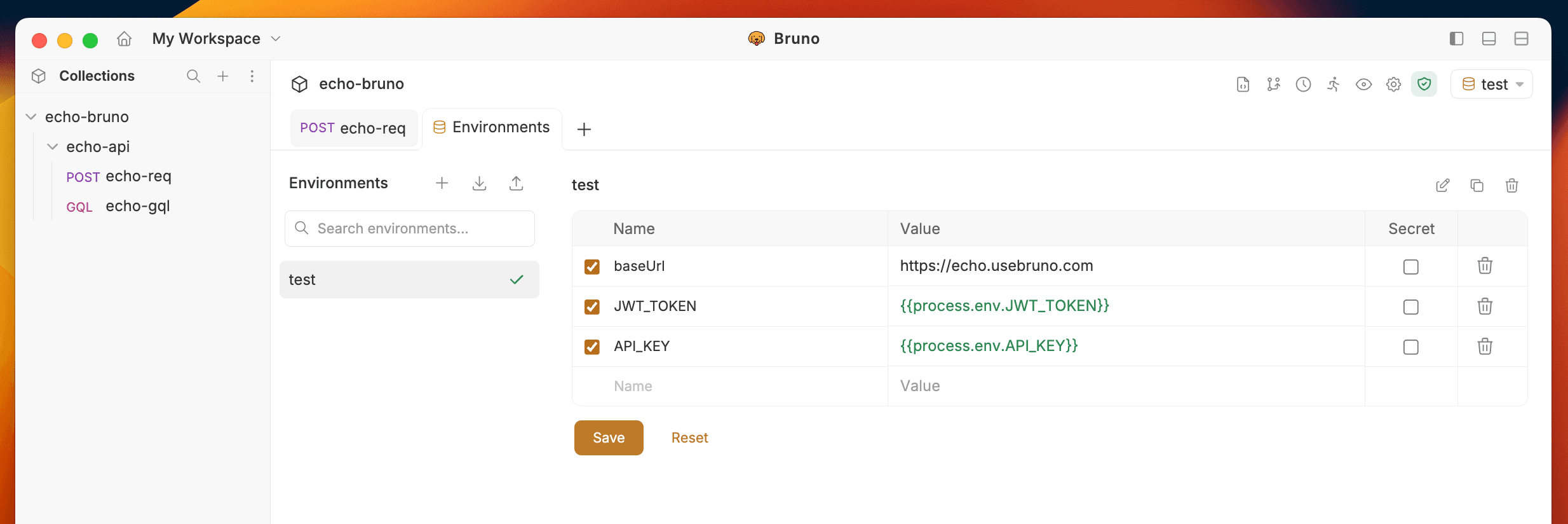
Bruno will automatically load the secrets from this file and make them available to your collection via process.env.<secret-name>.
Your environment file at environments/local.bru would look like
vars {
  baseURL: https://echo.usebruno.com
  JWT_TOKEN: {{process.env.JWT_TOKEN}}
  API_KEY: {{process.env.API_KEY}}
}
In this example, the JWT_TOKEN secret from the .env file is referenced using process.env.JWT_TOKEN. This will be replaced with the actual value of JWT_TOKEN when the collection is executed.
Managing Secrets
-
Always add the
.envfile to your.gitignorefile to ensure secrets are not accidentally pushed to version control. -
If you need to share the structure of your environment variables with other developers, create a
.env.samplefile without actual secret values.
Handling Variables with Dots
When using environment variables that contain dots in their names, use square bracket notation:
# In .env file
example.test=mysecretvalue
// In your request
// Won't work
"secret": "{{process.env.demo.example.test}}"
// Works correctly
"secret": "{{process.env['example.test']}}"This happens because Bruno interprets dots as object path separators. Square brackets tell Bruno to treat the entire string as a single variable name.
Manage Environment Credentials
Bruno v3.1.0: You can now create, view, and delete environment variables directly from Bruno at the workspace level without manually editing .env files.
Accessing Environment Variables
- Navigate to Workspace → Global Environment section
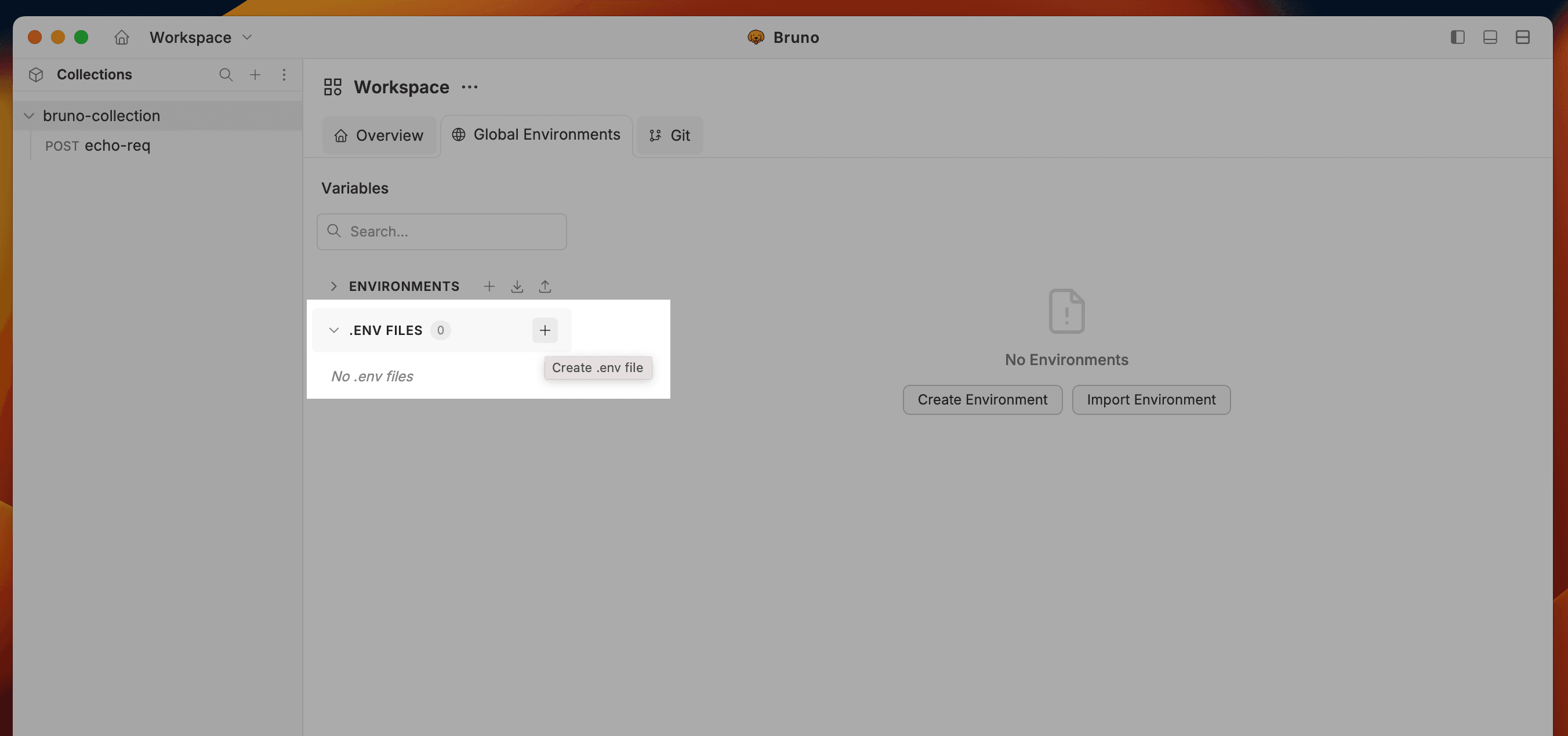
- Create or edit environment variables with your credentials
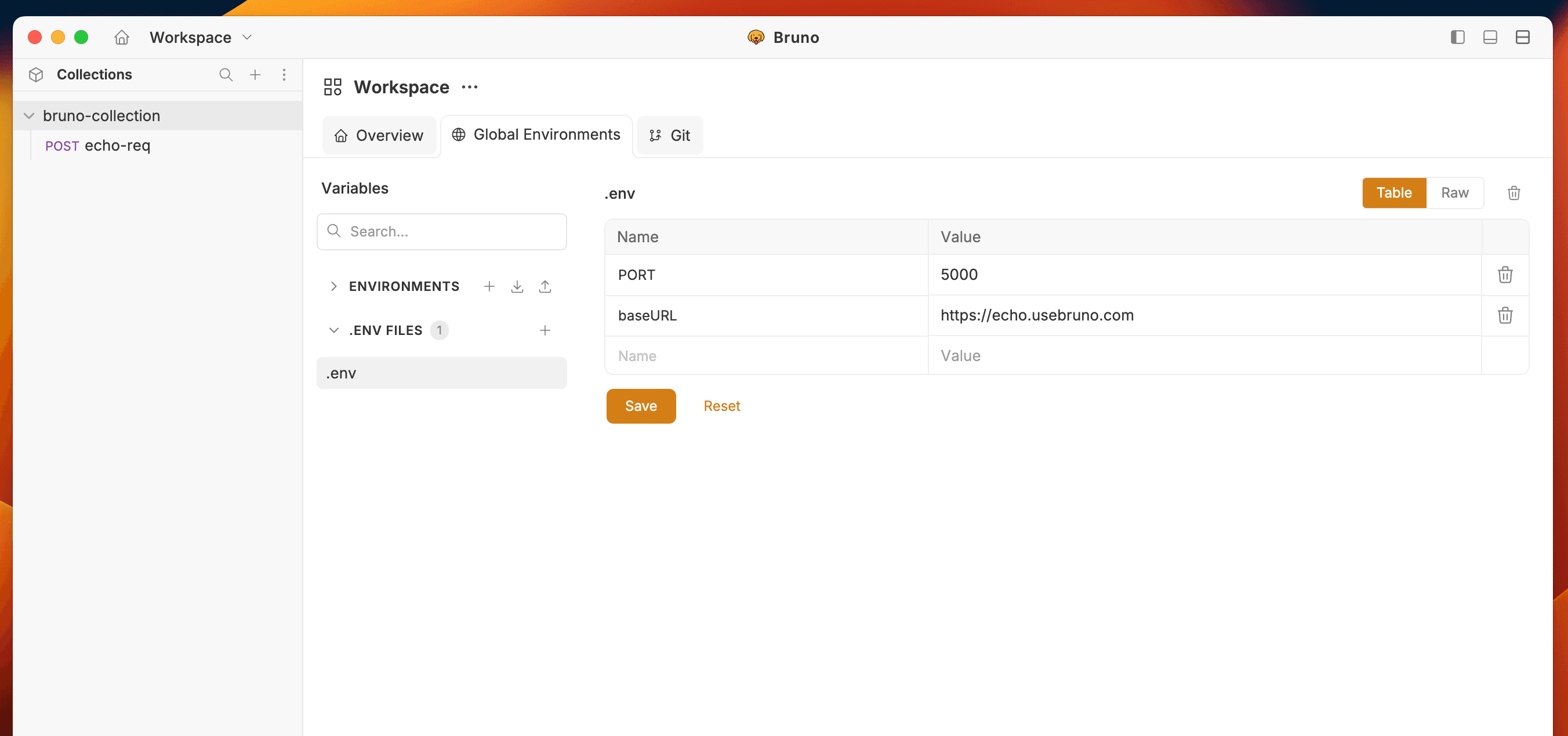
- Use these variables across all collections in your workspace using
{{process.env.<variable-name>}}syntax.
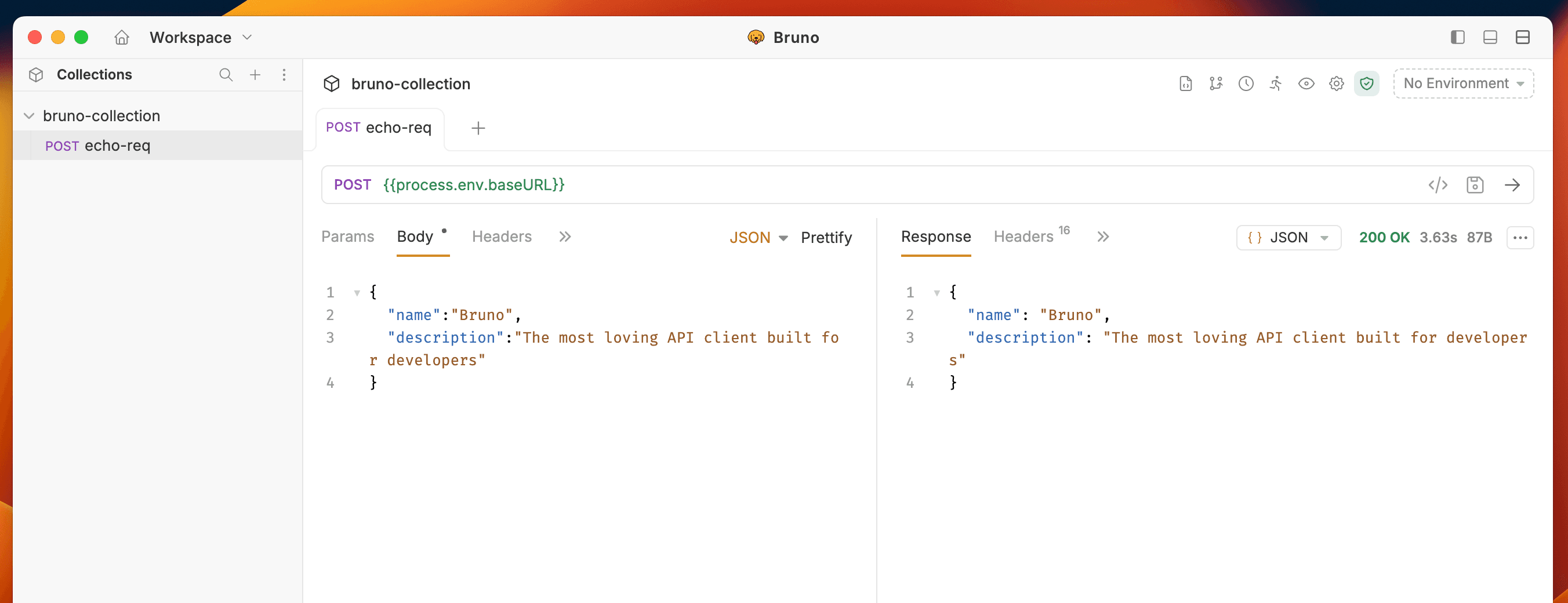
This feature provides a centralized UI to create, view, and delete environment credentials directly from Bruno, eliminating the need to manually edit .env files while maintaining the same security and accessibility benefits.