GraphQL request
Bruno provides the capability to send GraphQL requests, allowing you to interact with APIs that use the GraphQL query language.
Create GraphQL request
- Create new request inside collection.
- Select GraphQL as request type.
- Provide URL and Name in the input box.
- Click on Create button.
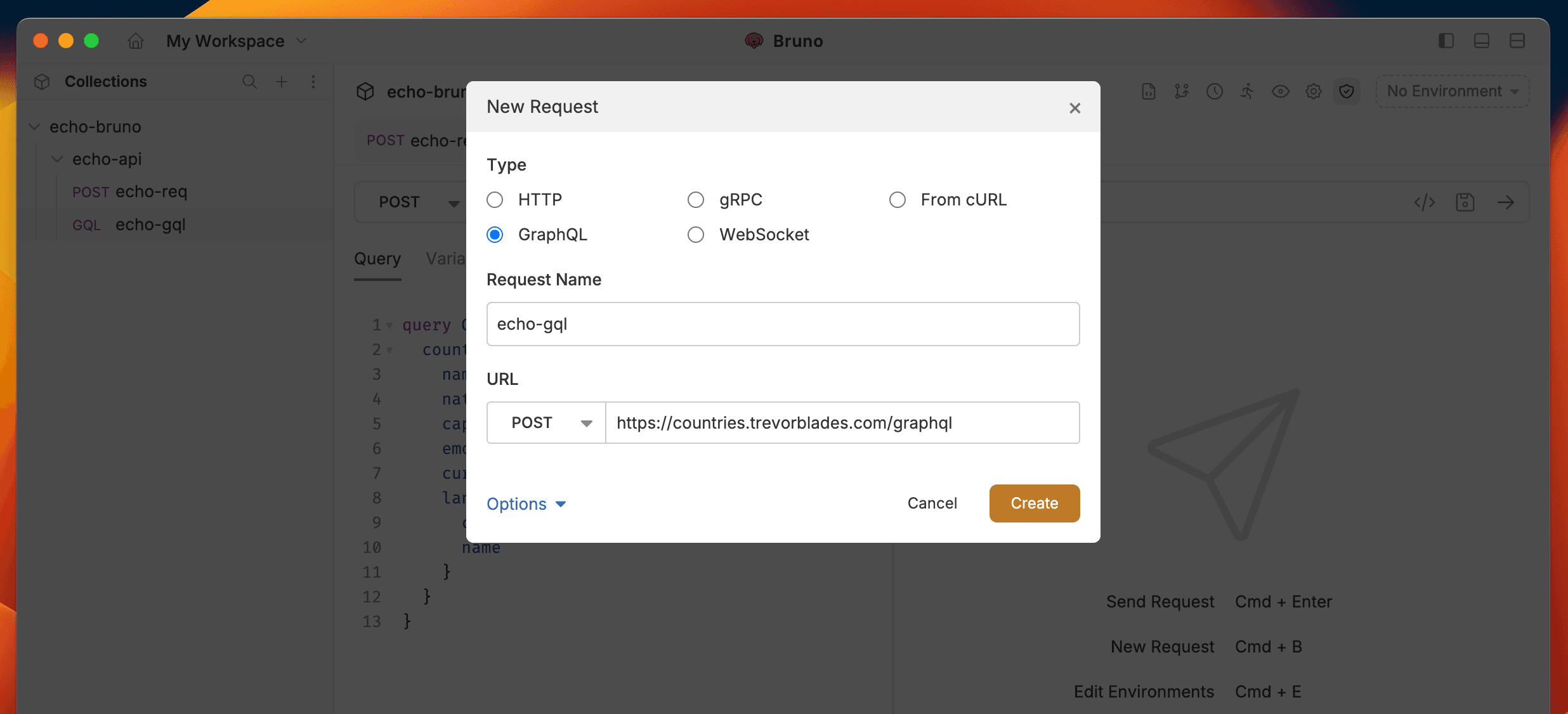
The default method for working with GraphQL APIs is POST, but you can adjust it based on your preferences.
GraphQL request with query
Bruno provides a dedicated section called Query where you can write and execute all your GraphQL queries. This section is designed to make it easy for you to interact with the GraphQL API by allowing you to define the data you want to retrieve or manipulate.
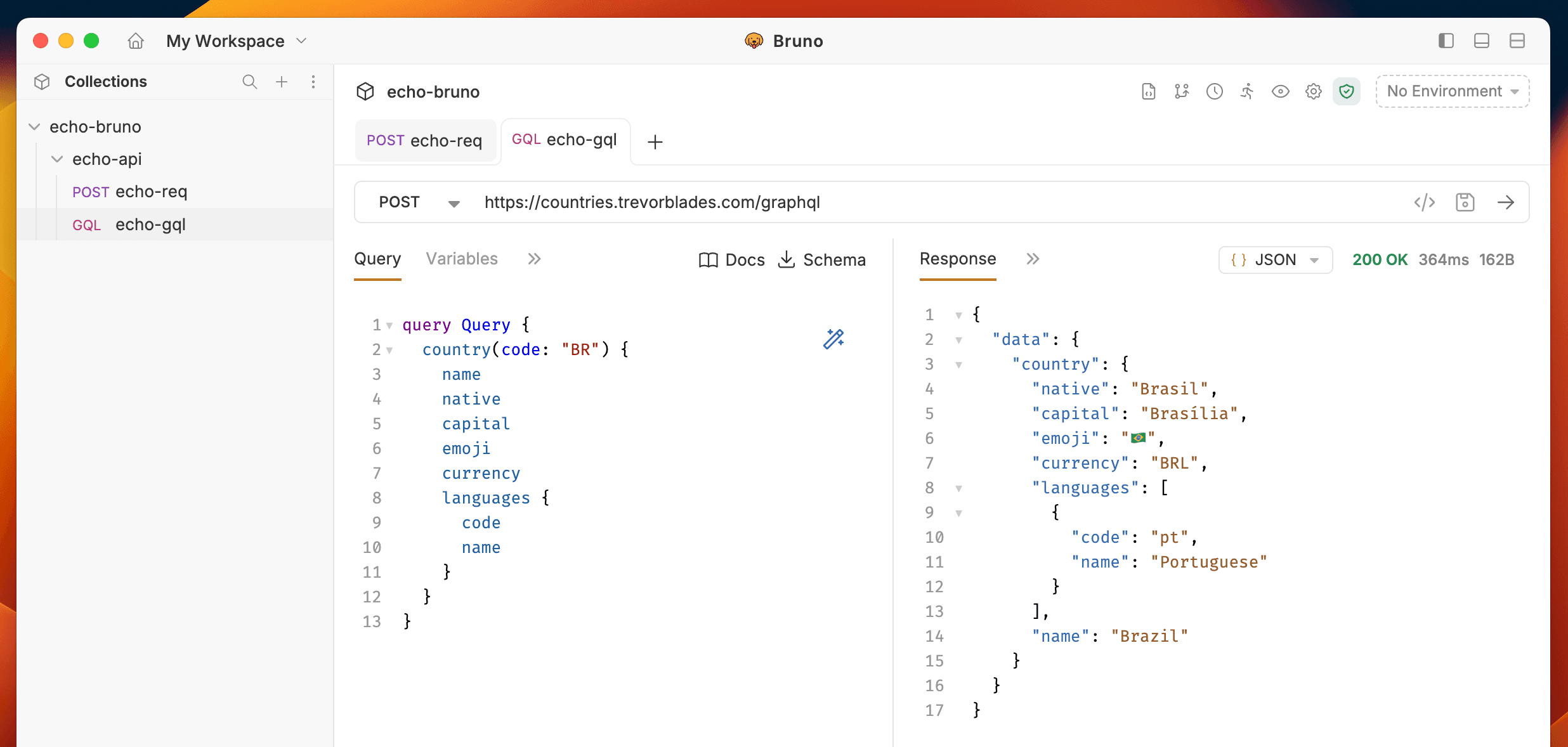
Example Query:
You can test this query using the Countries GraphQL API: https://countries.trevorblades.com/graphql
query Query {
  country(code: "BR") {
    name
    native
    capital
    emoji
    currency
    languages {
      code
      name
    }
  }
}
This query fetches country information for Brazil (code: “BR”), including its name, native name, capital, emoji, currency, and languages.
Get Started with GraphQL APIs
Explore our sample REST and GraphQL collection to see practical examples and test GraphQL endpoints: